[TRANSLATE:en] Über Linux Mint
[TRANSLATE:en] Linux Mint ist eines der beliebtesten Desktop-Betriebssysteme weltweit und wird von Millionen Menschen genutzt. Es ist eine der besten Alternativen zu Microsoft Windows und Apple macOS – und genau deshalb setzen wir bei BürgerPC darauf.
🐧 [TRANSLATE:en] Was ist Linux Mint?
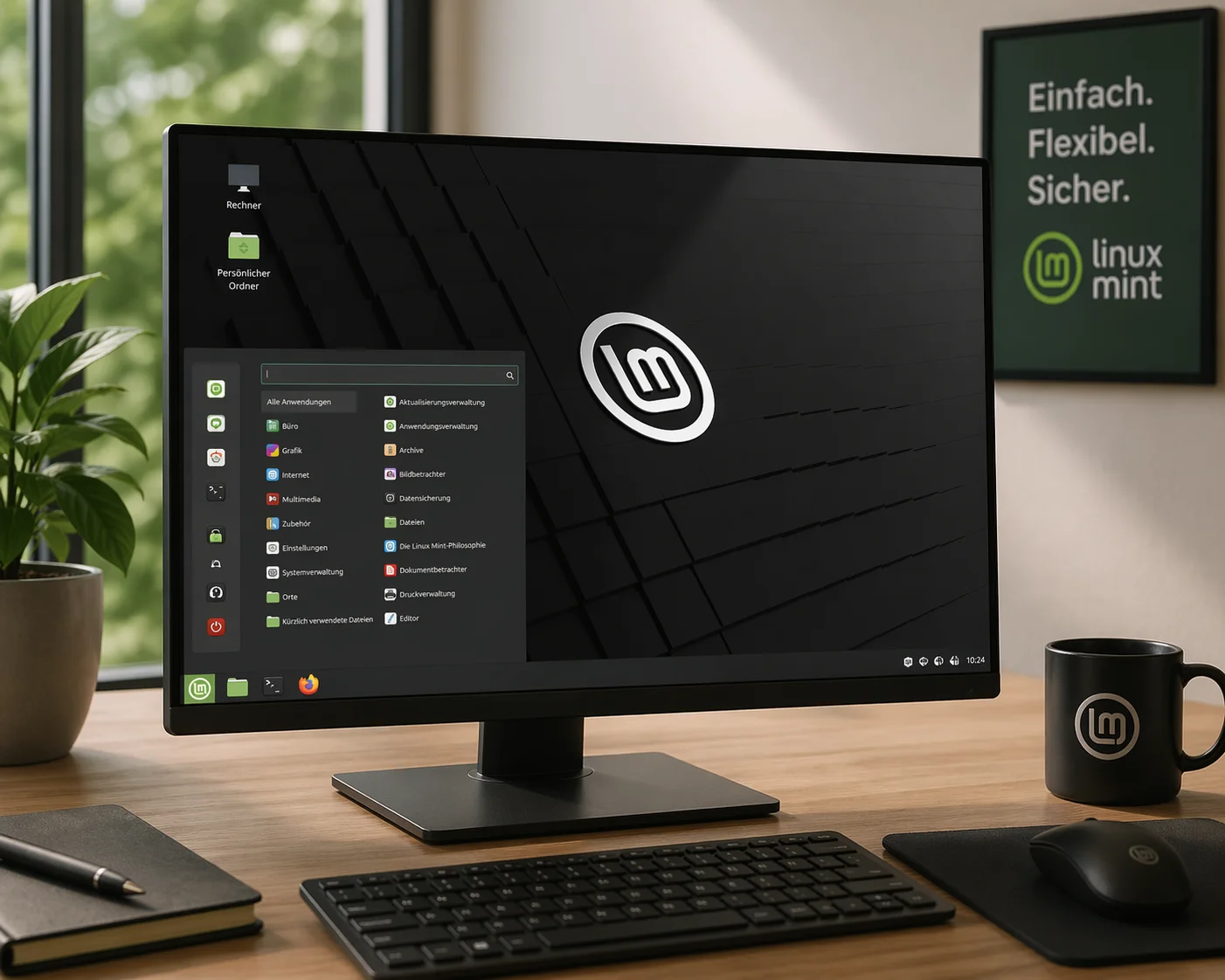
[TRANSLATE:en] Linux Mint ist ein modernes, elegantes und komfortables Desktop-Betriebssystem, das sowohl leistungsstark als auch einfach zu bedienen ist. Es basiert auf Ubuntu und Debian, zwei der stabilsten und am weitesten verbreiteten Linux-Distributionen.
[TRANSLATE:en] Das Ziel von Linux Mint
[TRANSLATE:en] Das Ziel von Linux Mint ist es, ein modernes, elegantes und komfortables Betriebssystem zu entwickeln, das sowohl leistungsstark als auch einfach zu bedienen ist. Linux Mint legt besonderen Wert auf Benutzerfreundlichkeit und eine vertraute Desktop-Erfahrung.
[TRANSLATE:en] Die Geschichte von Linux Mint
[TRANSLATE:en] Linux Mint wurde 2006 von Clement Lefebvre gegründet und hat sich seitdem zu einer der beliebtesten Linux-Distributionen entwickelt. Das Projekt feierte 2021 sein 15-jähriges Jubiläum. Was als kleine Website für Linux-Artikel begann, entwickelte sich zu einem vollwertigen Betriebssystem mit dem Anspruch, eine echte Alternative zu Windows und macOS zu bieten.
[TRANSLATE:en] Gründe für den Erfolg von Linux Mint
- ✓ [TRANSLATE:en] Benutzerfreundlichkeit – Eine intuitive Oberfläche, die Windows-Umsteigern den Einstieg erleichtert
- ✓ [TRANSLATE:en] Stabilität – Basiert auf bewährten Ubuntu LTS-Versionen mit langfristigem Support
- ✓ [TRANSLATE:en] Vollständigkeit – Kommt mit allen wichtigen Programmen vorinstalliert
- ✓ [TRANSLATE:en] Kostenlos – Komplett kostenlos und Open Source
- ✓ [TRANSLATE:en] Aktive Community – Große, hilfsbereite Gemeinschaft und regelmäßige Updates
[TRANSLATE:en] Desktop-Editionen
[TRANSLATE:en] Linux Mint bietet drei verschiedene Desktop-Editionen an, um unterschiedlichen Bedürfnissen gerecht zu werden:
[TRANSLATE:en] Cinnamon – Die Hauptedition mit einem modernen, eleganten Desktop (von Linux Mint selbst entwickelt)
[TRANSLATE:en] MATE – Ein klassischer, traditioneller Desktop für Nutzer, die eine vertraute Umgebung bevorzugen
[TRANSLATE:en] Xfce – Eine besonders ressourcenschonende Edition, ideal für ältere Computer
💡 [TRANSLATE:en] Warum wir bei BürgerPC auf Linux Mint setzen
No License Costs
Linux Mint is completely free. Unlike Windows, where a license costs between €100 and €200, Linux Mint has no license fees whatsoever. This means: Every euro saved can be invested in better hardware or more devices.
Perfect for Older Hardware
Linux Mint is resource-efficient and runs excellently on older computers. While Windows 10 and especially Windows 11 have increasingly higher hardware requirements, Linux Mint brings older devices back to life. A computer that has become sluggish and slow under Windows can run smoothly and responsively again with Linux Mint.
Security and Stability
Linux systems are inherently more secure than Windows. Viruses and malware written for Windows do not work on Linux. Additionally, Linux Mint receives regular security updates – free and without coercion.
Independence from Large Corporations
With Linux Mint, you are independent of Microsoft and its business practices. No forced updates, no advertising in the operating system, no data collection for advertising purposes. You retain full control over your computer.
[TRANSLATE:en] Digitale Souveränität und europäische Werte
[TRANSLATE:en] In Zeiten geopolitischer Unsicherheiten gewinnt digitale Souveränität zunehmend an Bedeutung. Die Abhängigkeit von US-amerikanischen Technologiekonzernen wie Microsoft, Google oder Apple birgt Risiken: Politische Entscheidungen in den USA können direkten Einfluss auf die Verfügbarkeit und Nutzung von Software in Europa haben. Mit Linux und LibreOffice setzen Sie auf europäische und internationale Open-Source-Standards, die von einer weltweiten Gemeinschaft entwickelt werden – unabhängig von einzelnen Ländern oder Konzernen. Diese Software respektiert europäische Datenschutzstandards (DSGVO) und fördert die technologische Unabhängigkeit Europas. Offene Dateiformate wie ODF (Open Document Format) garantieren, dass Ihre Dokumente auch in Zukunft lesbar bleiben – ohne Abhängigkeit von proprietären Formaten eines einzelnen Anbieters.
Europäische Werte & Standards
Mit Linux und LibreOffice setzen Sie auf europäische und internationale Open-Source-Standards, die von einer weltweiten Gemeinschaft entwickelt werden – unabhängig von einzelnen Ländern oder Konzernen. Diese Software respektiert europäische Datenschutzstandards (DSGVO) und fördert die technologische Unabhängigkeit Europas. Offene Dateiformate wie ODF garantieren, dass Ihre Dokumente auch in Zukunft lesbar bleiben.
Important: Many older computers cannot be upgraded to Windows 11 because Microsoft has strict hardware requirements (TPM 2.0, specific processors). Without an alternative, these devices would become e-waste – but with Linux Mint, they can still be used safely and productively for many years!
📄 LibreOffice – The Free Office Alternative
Full Office Suite at No Cost
LibreOffice offers everything you need for daily office work:
Microsoft Office 365 costs about €70 to €100 per year as a subscription – with LibreOffice, you save this money completely!
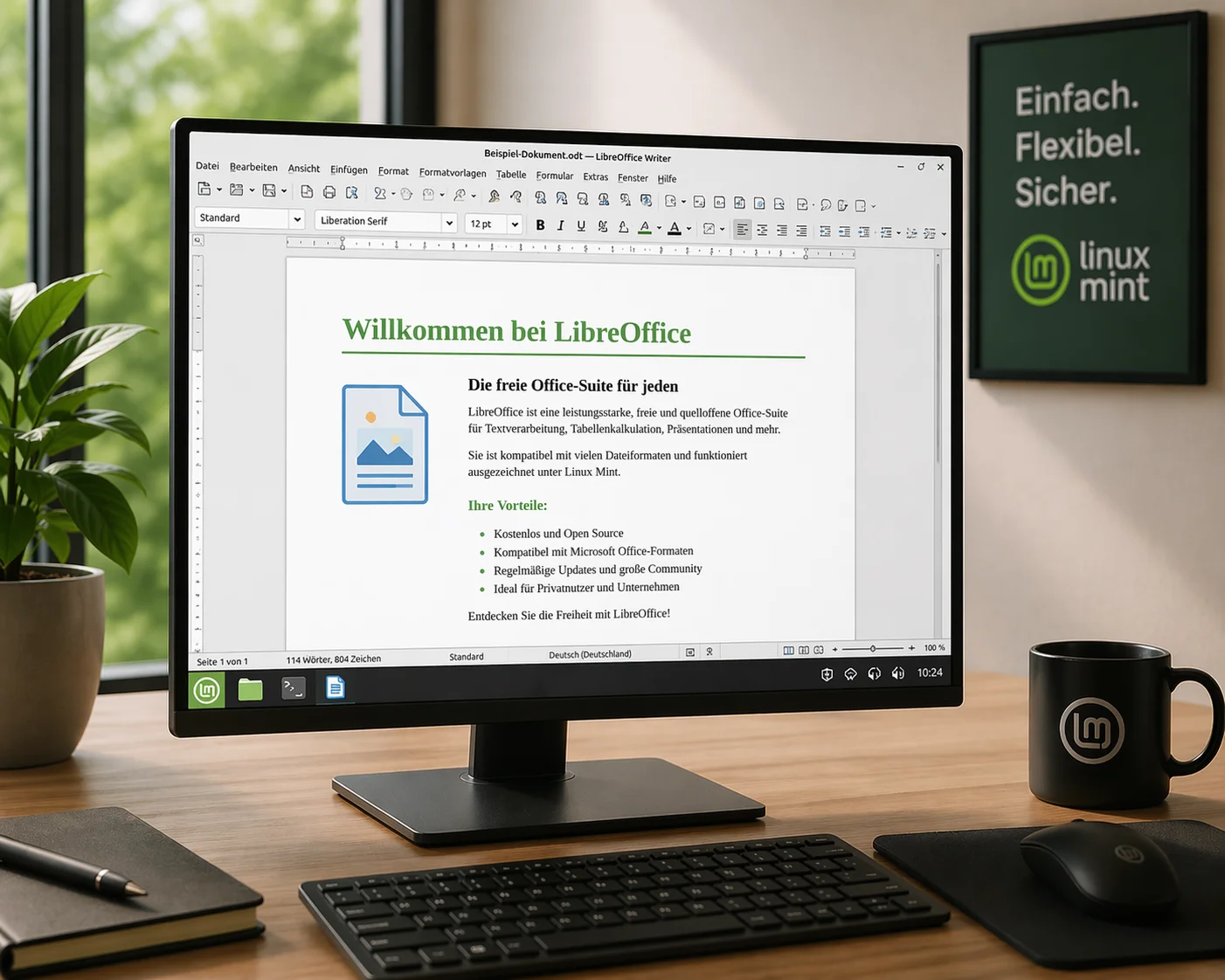
Writer – Word processing (like Microsoft Word)
Calc – Spreadsheets (like Microsoft Excel)
Impress – Presentations (like Microsoft PowerPoint)
Draw – Drawings and diagrams
Base – Database management
Open Source – The Philosophy Behind It
LibreOffice is Open Source Software. This means: The source code is publicly available and is maintained and improved by a worldwide community of developers. This approach guarantees:
- ✓ Transparency – Anyone can verify what the software does
- ✓ No hidden costs – Free today, free tomorrow, always free
- ✓ Community development – Improvements benefit everyone
- ✓ Long-term availability – No dependency on a single company
Compatibility with Microsoft Formats
LibreOffice can open and edit Microsoft Office files (.docx, .xlsx, .pptx). Exchanging documents with Windows users is seamless.
🎮 Gaming on Linux – Steam Works Wonderfully!
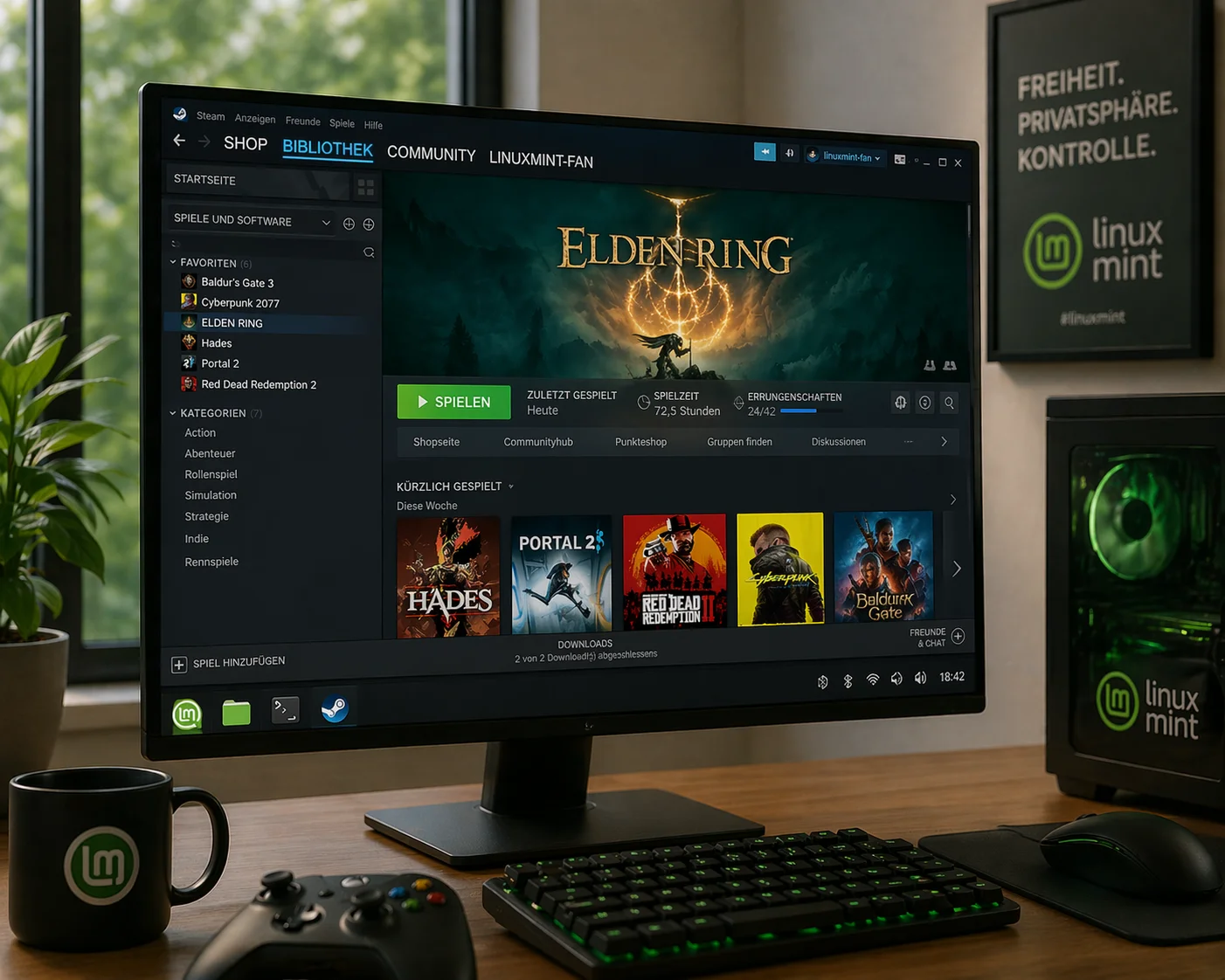
A common misconception: "You can't play games on Linux." This is no longer true! Thanks to Steam and Proton (a compatibility layer from Valve), thousands of Windows games run smoothly on Linux Mint.
Steam on Linux: Valve, the company behind Steam, invests heavily in Linux gaming. The Steam Deck runs on Linux, and Proton technology makes most Windows games playable on Linux – often without any configuration!
Popular games like Counter-Strike, Dota 2, Civilization, and many more run natively or flawlessly via Proton. For casual gamers and many enthusiasts alike, Linux is now a full-fledged gaming platform.
⚖️ Comparison: Linux Mint vs. Windows
| Criterion | Linux Mint | Windows |
|---|---|---|
| License Costs | ✅ Free | ❌ 100€ - 200€ |
| Office Software | ✅ LibreOffice free | ❌ MS Office €70-100/year |
| Older Hardware | ✅ Runs excellently | ❌ Often too slow / not supported |
| Windows 11 Upgrade | ✅ Not relevant | ❌ Many PCs incompatible |
| Data Privacy | ✅ No data collection | ❌ Telemetry & advertising |
| Security | ✅ Very secure, little malware | ⚠️ Frequent target of viruses |
| Updates | ✅ Voluntary, non-disruptive | ❌ Often forced, restarts |
| Gaming (Steam) | ✅ Very good thanks to Proton | ✅ Natively supported |
| User Friendliness | ✅ Simple, Windows-like | ✅ Known and widespread |
| Special Software | ⚠️ Some programs not available | ✅ Wide software selection |
| Sustainability | ✅ Extends hardware life | ❌ Promotes new purchases |
Summary: Advantages and Disadvantages
Advantages of Linux Mint
- ✓ Free – No license fees
- ✓ Resource-efficient – Ideal for older PCs
- ✓ Secure – Hardly any viruses and malware
- ✓ Privacy – No data collection
- ✓ Stable – Reliable and robust
- ✓ Sustainable – Hardware usable longer
- ✓ Independent – No corporate dependency
- ✓ Gaming – Steam works great
- ✓ Open Source – Transparent and free
Possible Disadvantages
- ✗ Adjustment – Initially somewhat different from Windows
- ✗ Special software – Some programs not available (e.g., Adobe)
- ✗ Some games – Not all Windows games run
- ✗ Printers/Scanners – Sometimes driver issues
Note: For most everyday tasks like internet, email, office work, and multimedia, these disadvantages are not relevant!
Our Conclusion
For the target audience of BürgerPC – people who need a reliable computer for everyday tasks – Linux Mint with LibreOffice is the ideal solution. The combination of cost savings, security, sustainability, and user-friendliness makes it possible to provide a fully functional, modern workstation even with donated older hardware.
Together against e-waste, for digital inclusion!